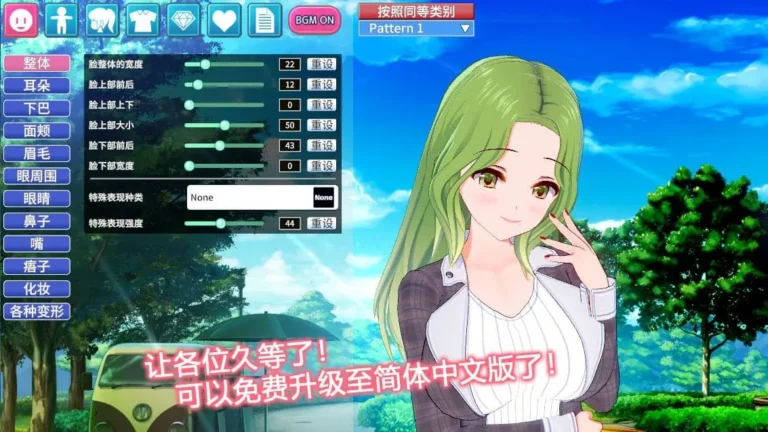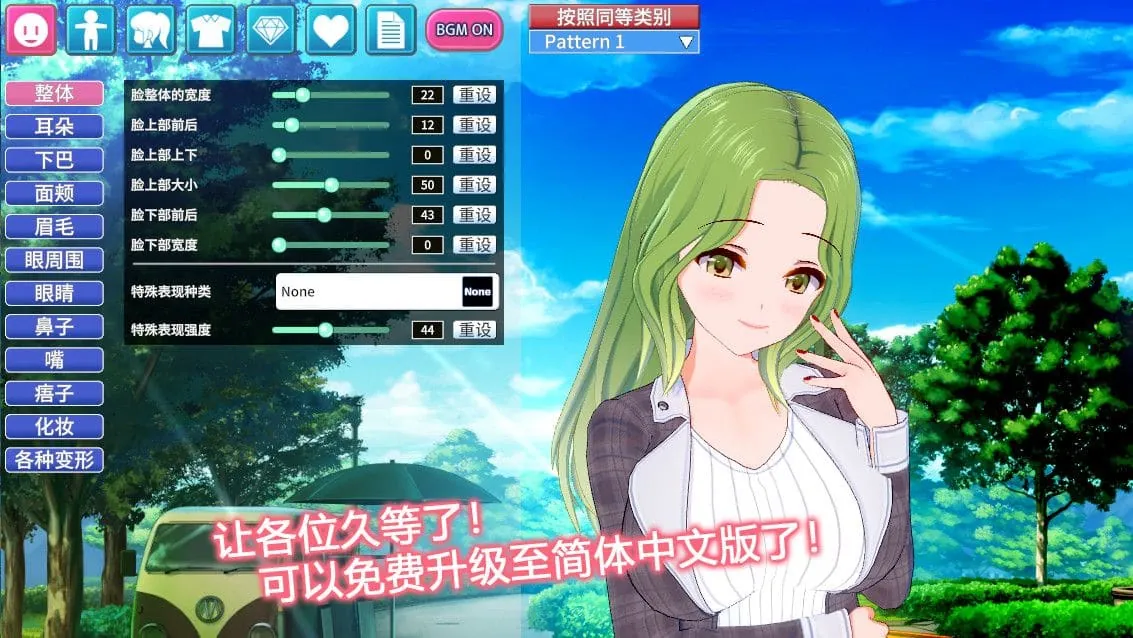
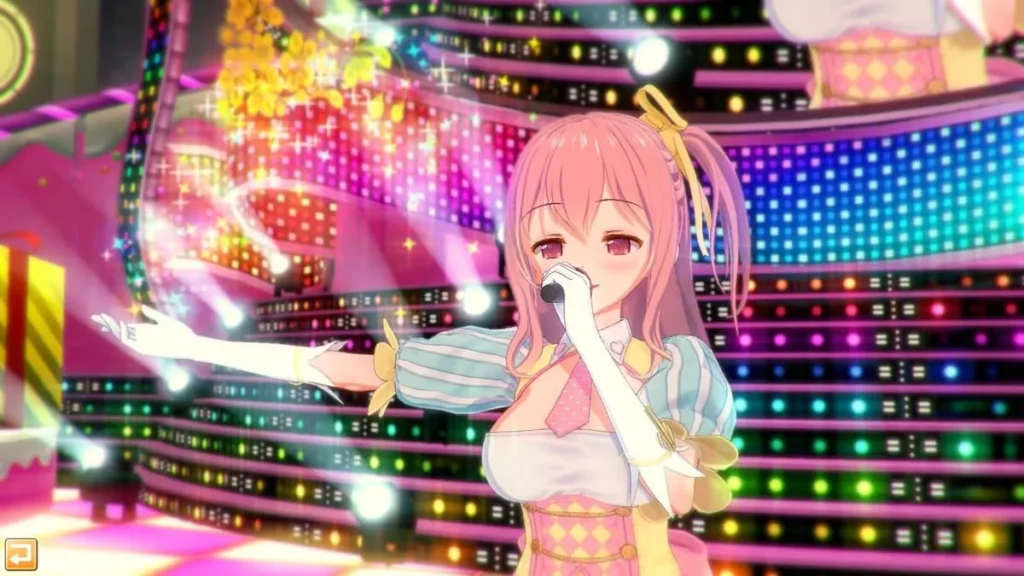
コイカツ! / Koikatsu Party Screenshots
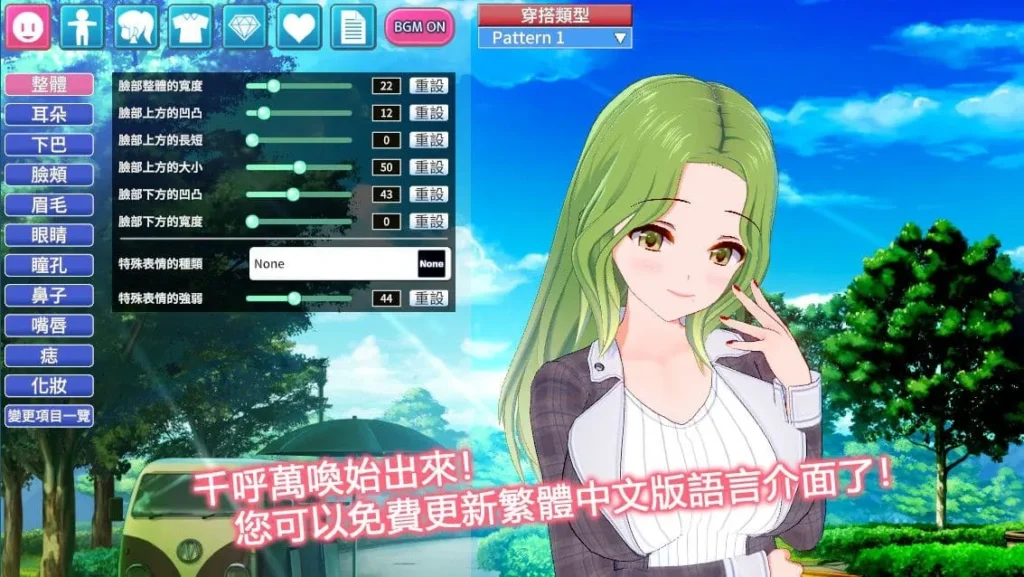
コイカツ! / Koikatsu Party review
Master the Ultimate Anime Character Customization Simulator with Advanced Features and Mechanics
Koikatsu Party stands as one of the most advanced character creation simulators available today, developed by the Japanese studio Illusion. This 3D customization experience offers players unprecedented control over anime character design with over 300 adjustable settings, precision tools, and ultra high-quality anime shaders. Whether you’re interested in crafting unique characters, exploring romantic storylines, or creating custom scenes, Koikatsu Party delivers a richly-translated experience with Japanese voice talent. This comprehensive guide walks you through everything you need to know about the game’s features, mechanics, and what makes it a standout title for character creation enthusiasts.
Mastering Character Creation in Koikatsu Party
Welcome to the heart and soul of コイカツ! / Koikatsu Party—the place where your imagination gets a pair of 3D glasses and a full suite of studio tools. 🎨 If you’ve ever felt limited by other games where every character ends up looking like a slight variation of the same template, you’re in for a shock. The character creation system here isn’t just a feature; it’s the main event, a sandbox of pure creative potential that has become legendary in its own right. Forget “good enough”—this is about crafting someone utterly unique, from the curve of their smile to the spark of their personality.
I remember firing up Koikatsu Party for the first time, thinking I’d make a quick, cute character and jump into the story. Three hours later, I was meticulously adjusting the sub-surface scattering of the skin tone on a character who had somehow evolved from a simple student into a futuristic android with a melancholic backstory. That’s the magic trap this system sets. It starts with a simple question: “Who do you want to create?” and then gives you the power to answer it in staggering detail. This guide is your map through this incredible toolbox, showing you how to master Koikatsu Party character creation and become a true 3D character design simulator maestro.
Advanced Customization System: What Makes It Stand Out
So, what’s the big deal? Why do forums light up with showcases of incredibly detailed original characters and spot-on recreations of beloved anime figures? The answer lies in the system’s depth and precision. We’re not talking about a few sliders for “face shape” and “eye size.” We’re talking about a hierarchical, node-based editor that treats every part of the character as a malleable piece of art. It’s the difference between painting with a broad brush and using a single-hair sable brush for eyelash details. 👁️✨
The foundation is the sheer volume of controls. With over 300 adjustable parameters, the game deconstructs the human (and anime) form into its component parts. This isn’t just about being complex for complexity’s sake. Each slider, dial, and texture overlay gives you intentional control. Want to create a character with a mischievous, asymmetrical smile? You don’t just pick “Smile Type B.” You adjust the individual height and pull of each corner of the mouth, the crinkle of the skin around the eyes, and even the specific tooth that might be slightly showing.
The character creation tools are powered by what the community often calls “KK” style—a specific, high-quality anime aesthetic that uses advanced rendering techniques. The ultra high-quality anime shaders are key here. They allow for:
- Sub-surface Scattering: This makes skin look soft, luminous, and alive, not like a plastic doll. You can see light subtly passing through ears and noses.
- Specular and Reflection Controls: Make eyes glisten with tears or give hair a silky, reflective sheen.
- Detailed Normal and Detail Maps: These add fine textures like skin pores, fabric weave, or the subtle strands of an eyebrow.
This technical prowess means your anime character customization isn’t limited by a flat art style. You can create characters that look like they stepped out of a high-budget animation studio, all within a real-time editor. It’s this combination of granular control and top-tier visual fidelity that has reviewers and players heaping praise on the system. It respects your vision and provides the means to execute it.
To give you a quick overview of the sheer scope, here’s a breakdown of the primary customization categories:
| Category | Key Features & Controls | Impact on Design |
|---|---|---|
| Facial Features Customization | Individual adjustment of eyes (shape, iris, pupil, highlight), eyebrows, nose (bridge, tip, nostrils), mouth (lips, teeth, tongue), ears, and face contour (jaw, cheeks, forehead). | Enables the creation of unique, expressive faces far beyond preset options. Essential for replicating specific characters or crafting original, memorable looks. |
| Body Modifications | Full control over height, muscle definition, breast & hip size, limb proportions, shoulder width, and even individual finger sliders. Posture and spine curvature can also be adjusted. | Allows for any body type, from willowy and elegant to athletic and powerful, breaking the mold of a single “standard” figure. |
| Clothing & Accessories | Layered clothing system with separate tops, bottoms, underwear, socks, and shoes. Vast library of items, all with multiple color, pattern, and texture channels for each part. | Provides endless fashion possibilities. The pattern system lets you create everything from school uniforms to fantasy armor and casual streetwear. |
| Personality & Traits | Selection from 30+ personality archetypes, voice selection, speech patterns, and behavioral tendencies that affect in-game dialogue and interactions. | Breathes life into the character, making them more than a static model. Defines how they will behave in the game’s story and social simulations. |
Personality Archetypes and Character Development
Here’s where Koikatsu Party separates itself from being just a pretty (and incredibly deep) dress-up simulator. 🎭 Your creation’s appearance is only half of their identity. The other half—their soul, if you will—is built through the personality archetypes system. This is the genius link between your 3D character design simulator work and the actual gameplay experience.
You’re presented with a roster of over 30 distinct personality templates. These aren’t vague labels like “Shy” or “Outgoing.” They are richly defined character roles like “Class Rep,” “Gyaru,” “Delinquent,” “Yamato Nadeshiko,” “Genki,” “Cool Beauty,” or “Bookworm.” Each archetype comes pre-loaded with a specific set of behaviors, preferred dialogue choices, reactions to situations, and even unique event triggers.
Pro Tip: Don’t just pick an archetype that matches the look. Sometimes, the most interesting characters come from a contrast between appearance and personality—like a tough-looking delinquent with the “Fragile” personality, creating a story of hidden vulnerability.
Why does this matter? Because it means the elegant knight you spent hours armoring won’t just stand there looking cool. If you gave her the “Reliable Big Sister” archetype, she’ll actively seek to help other characters in the story, offering advice and initiating specific heartwarming events. If you give the same model the “Tsundere” archetype, her interactions will be full of blustery denials and hidden affection. This system ensures that your custom creations feel alive and integrated into the world.
The personality archetypes directly influence:
* Dialogue Trees: The options you have when talking to them, and how they respond to you.
* Social Dynamics: How they interact with other characters in the group. A “Class Clown” will create very different group chemistry than a “Lone Wolf.”
* Special Events: Many archetypes have access to unique story scenes and scenarios that wouldn’t trigger otherwise.
This is the ultimate payoff for your anime character customization work. You’re not just designing a model for a screenshot (though the Studio mode is perfect for that!). You’re designing a character with a role to play, making the main game a personalized anime where your original creations are the stars.
Creating Your Perfect Anime Character from Scratch
Enough theory—let’s get our hands dirty and build someone! 🔨 The process can seem daunting, but it’s built logically. Here’s a step-by-step walkthrough for how to create characters in Koikatsu Party, from a blank slate to a fully realized individual.
Step 1: The Foundation – Choosing a Base
When you enter the Maker, you’ll start by selecting a base character. Don’t panic! This is just a starting point, like picking a rough block of marble. You can choose from several default designs, but most veterans immediately dive into the “Load” button. Why? The community is incredibly prolific. Sites are filled with thousands of user-made “card” files. You can instantly import a stunningly detailed character from your favorite anime, game, or manga as your base. This is a fantastic way to reverse-engineer how experts use the character creation tools, or simply to have a perfect replica to play with. Whether you start from zero or a community card, remember: everything is changeable.
Step 2: Sculpting the Face – The Devil’s in the Details
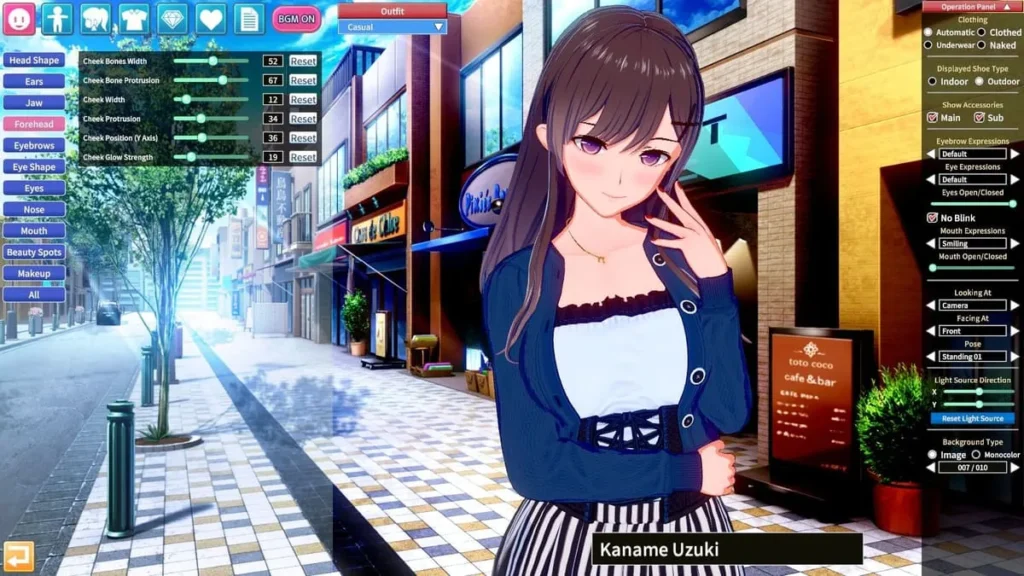
This is where the true facial features customization begins. I recommend starting with the face shape sliders under the “Head” tab. Adjust the overall skull shape, jaw width, and chin definition. This sets the stage. Then, move to the individual features:
- Eyes: This is the most important feature for anime style. Don’t just resize them. Open the advanced tab. Adjust the upper and lower eyelid curves separately, change the iris size and pattern, move the pupil and specular highlight position to control “gaze direction,” and play with eyelash length and style. A tiny adjustment to the “Eye Angle” slider can change a look from friendly to sly.
- Mouth & Nose: Anime noses are often subtle. Use the sliders to make a small, soft nose or a more defined one. For the mouth, you can control the thickness of the upper and lower lip independently, the philtrum, and the “mouth expression” sliders that pre-set shapes like smiles or pouts, which you can then fine-tune.
Step 3: Building the Body
Navigate to the “Body” tab. Here, you can defy reality (or embrace it). Adjust overall height first, as this affects proportions. Then, shape the torso, waist, and hips. The limb sliders are incredibly detailed—you can make wrists slender or ankles thick. The muscle definition sliders are subtle but powerful for creating athletic or soft body types. Remember, clothing fits based on the body shape, so get this foundation right before dressing up.
Step 4: Dressing Up & Styling
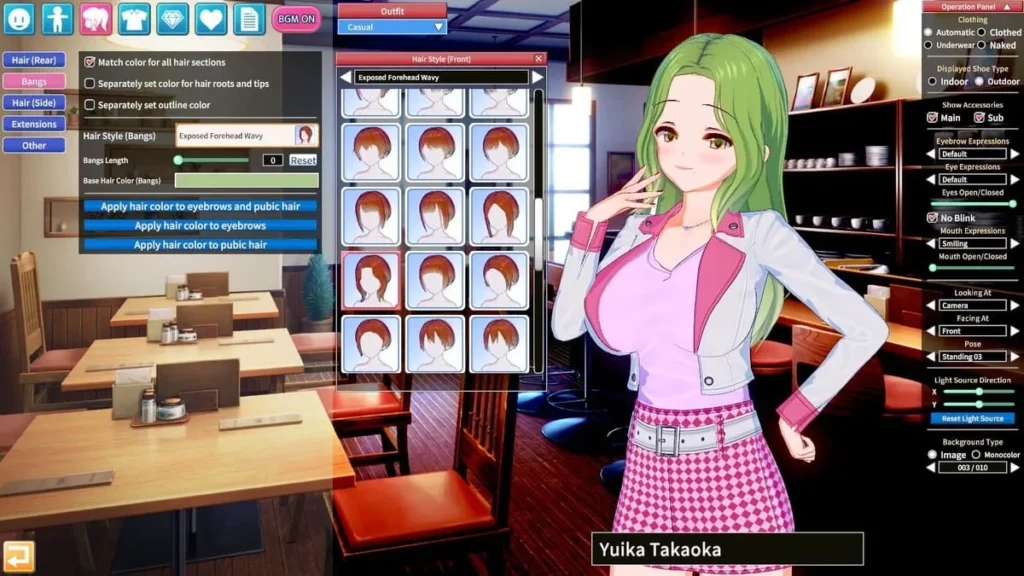
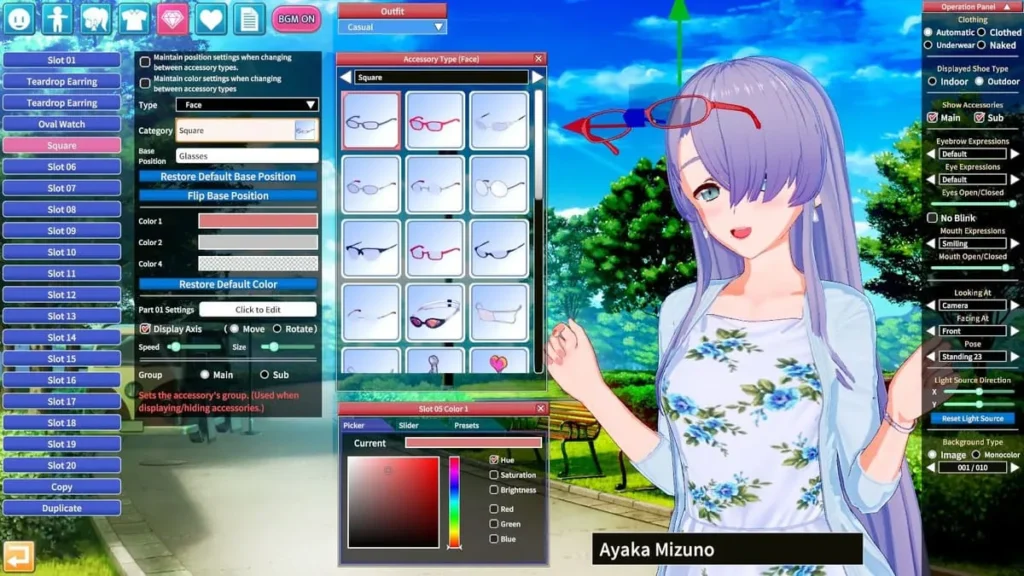
The “Clothing” and “Hair” tabs are your playground. The hair system alone is a masterpiece, with front, side, back, and accessory slots. You can combine different styles, then use sliders to adjust volume, length, gravity effect, and even individual stray hairs. 🪮
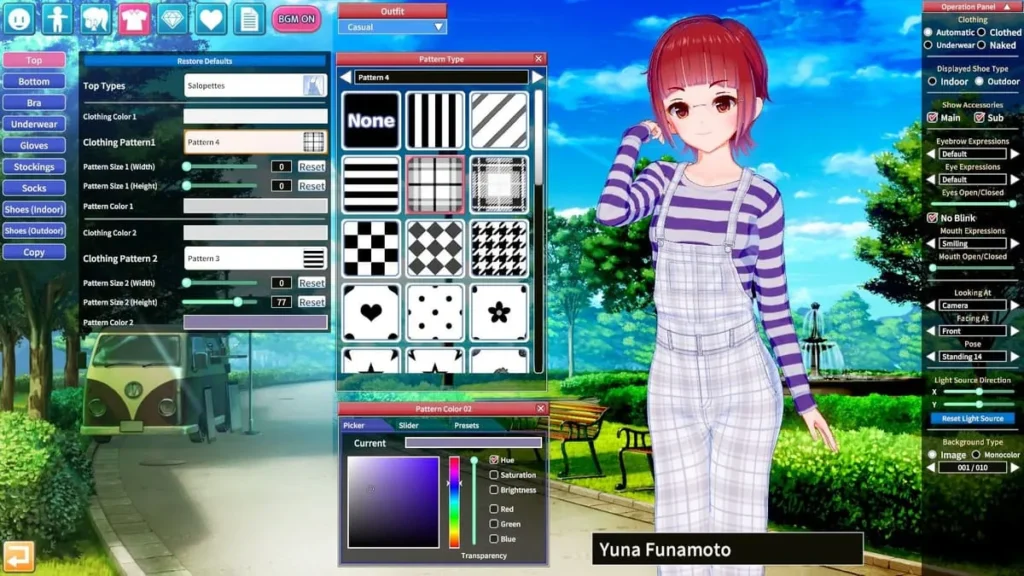
For clothing, remember the layering system. Start with underwear, then add tops and bottoms. Each item can be unzipped, untucked, or adjusted for looseness. The magic button is “Color/Pattern.” Clicking this opens a palette where you can change the main, secondary, and sometimes even third colors of each part of the clothing (e.g., the shirt body, cuffs, and collar separately). You can also apply patterns like stripes, plaids, or custom decals.
Step 5: The Finishing Touches – Personality and Polish
Once you’re happy with the look, go to the “Personality” tab. Browse the list of personality archetypes, read their descriptions, and imagine how your character would act. Select one. Then, choose a voice from the list—each archetype has several voice options that match their demeanor. Finally, don’t forget the “Overlays” tab for things like blush, tears, sweat, or body scars, and the “Aesthetic” tab for nail color and makeup, which includes separate eye shadow, eyeliner, and lipstick layers.
Step 6: Bringing Them to Life in Studio
Your character is made. Now what? Save their “card” file. Then, jump into the separate Studio mode. This is a fully-featured scene composition tool. You can load your character (and many others) into custom maps, pose them with an intuitive bone manipulator, set up lighting with professional light sources (point lights, spotlights, rim lights), adjust camera angles and depth-of-field, and create stunning static images or even complex animations. This is where you stage the scenes from your imagination, from simple romantic moments to epic battle sequences.
Mastering Koikatsu Party character creation is a journey of endless discovery. Every slider tweaked, every personality paired, unlocks new possibilities. It’s a celebration of creativity that empowers you to be both character designer and storyteller, proving that this isn’t just a game—it’s the ultimate toolkit for anyone who has ever dreamed of crafting their own anime world.
Koikatsu Party has established itself as a premier choice for players passionate about character creation and customization. The game’s exceptional character creation system, featuring over 300 adjustable settings and ultra high-quality anime shaders, sets it apart from competitors and justifies the enthusiasm from the community. While the story mode may not be the strongest element, the gameplay mechanics, relationship-building systems, and extensive customization options create a compelling experience for the right audience. The vibrant modding community and available DLC further extend the game’s longevity and replayability. Whether you’re an anime enthusiast, a character design aficionado, or someone seeking a unique simulation experience, Koikatsu Party offers substantial value—particularly if you’re willing to invest in DLC and explore community-created content. For those prioritizing character creation above all else, this title remains an excellent investment that continues to deliver engaging gameplay and creative satisfaction.